
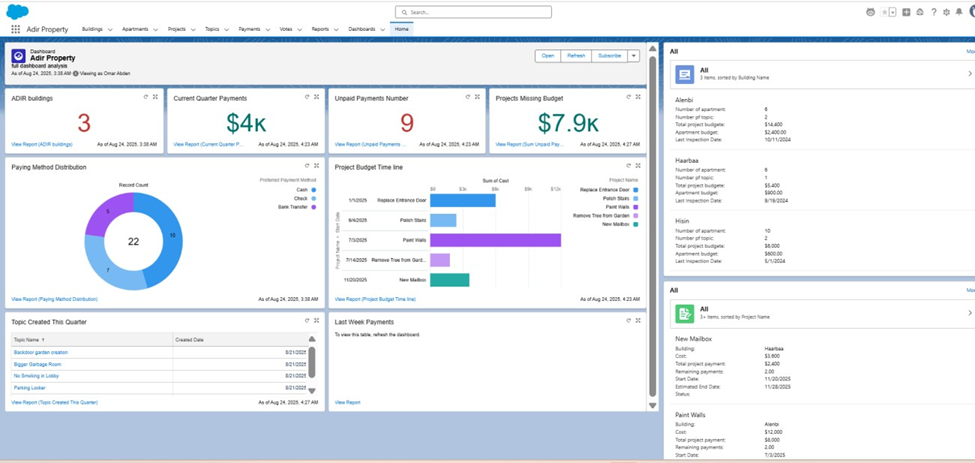
Home page with Dashboard
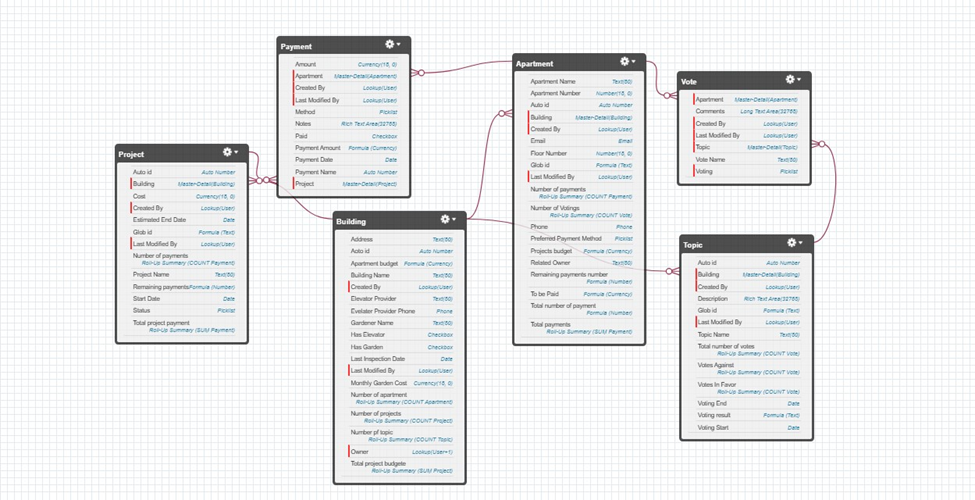
Imported DATA
BUILDING OBJECT

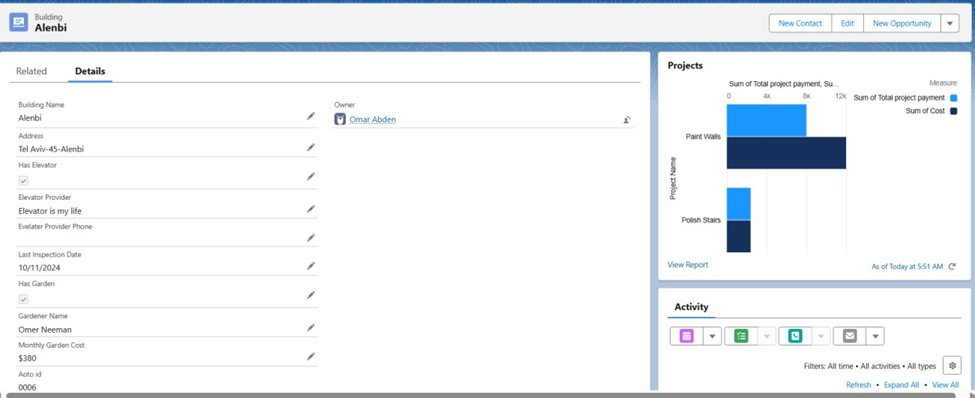
Building record page
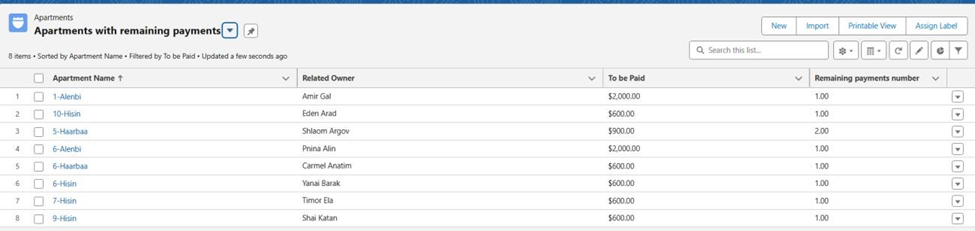
Apartments Object
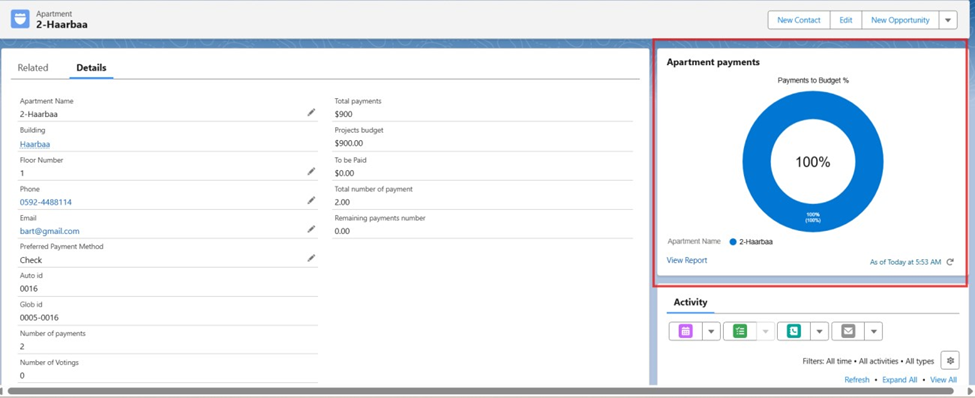
Apartment record page
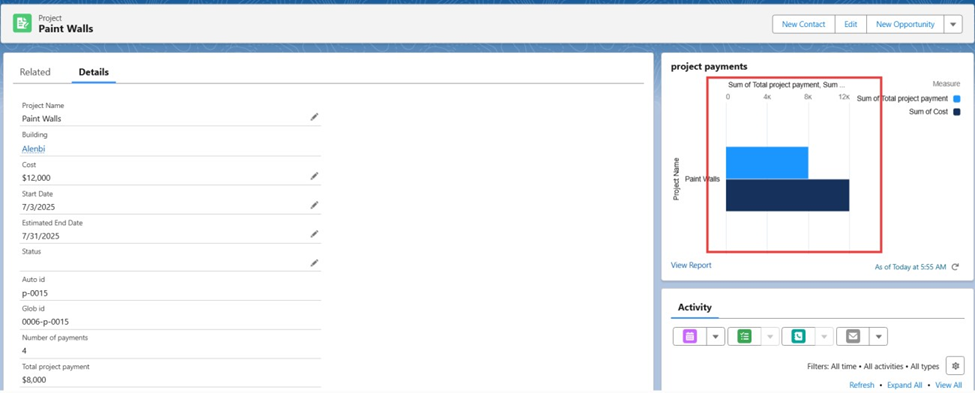
Project

Project record page
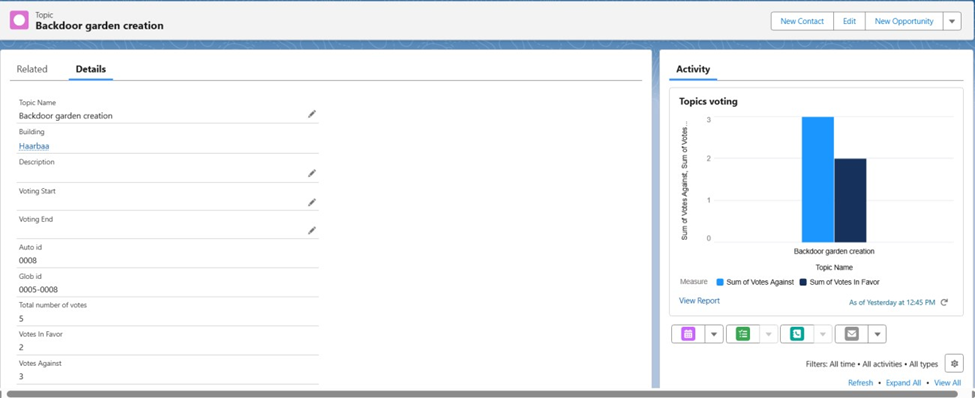
Topic

Record page
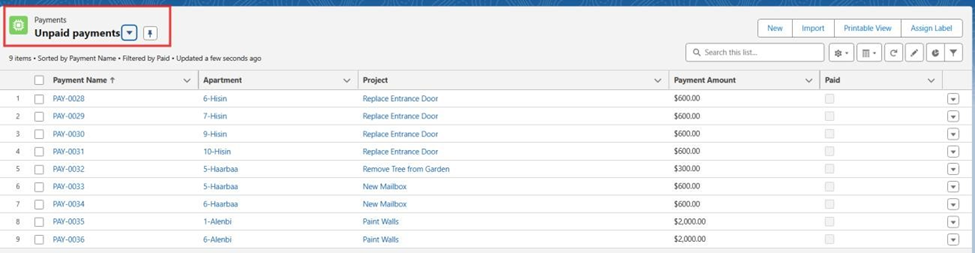
Payments
List View
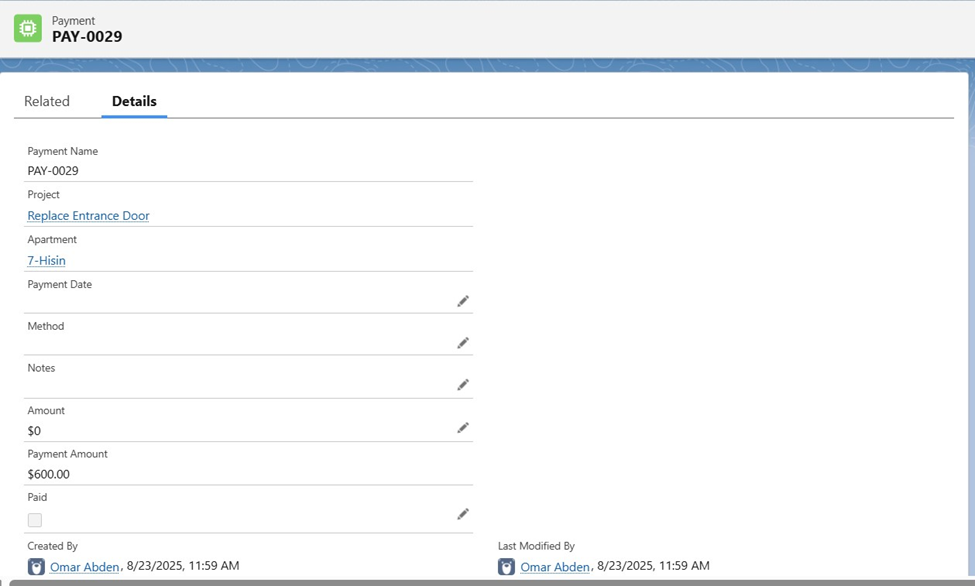
Payment record page
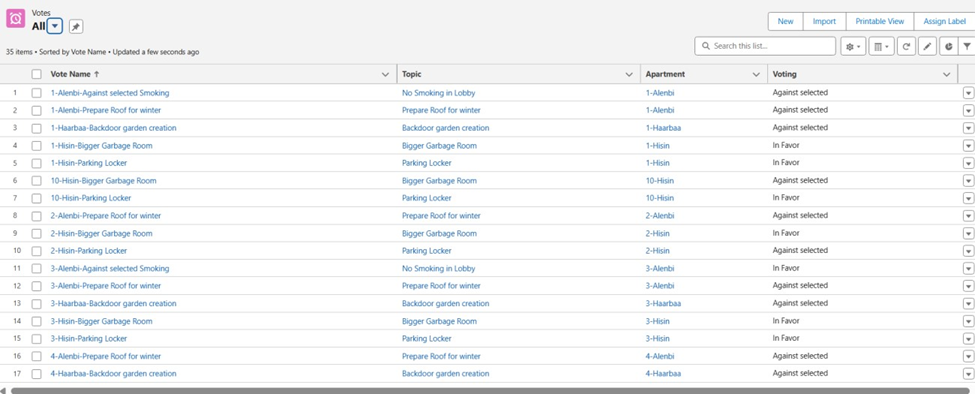
Votes Object
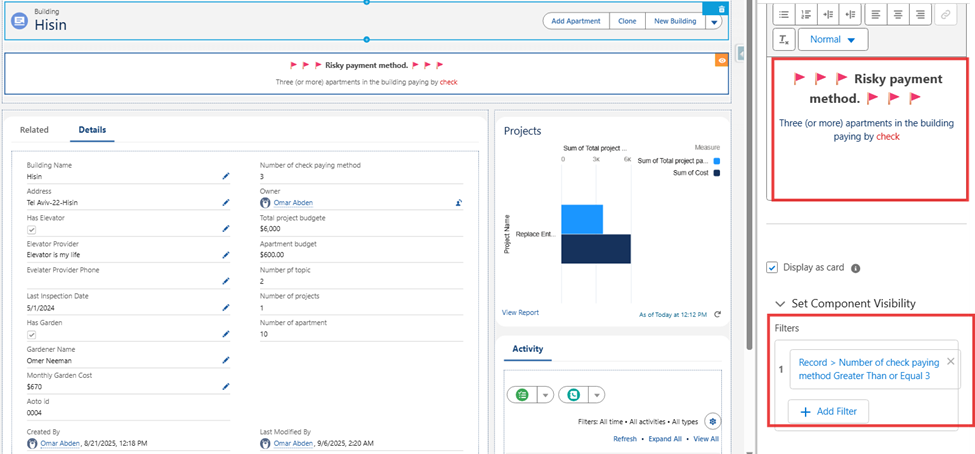
Building at Risk Validation
-
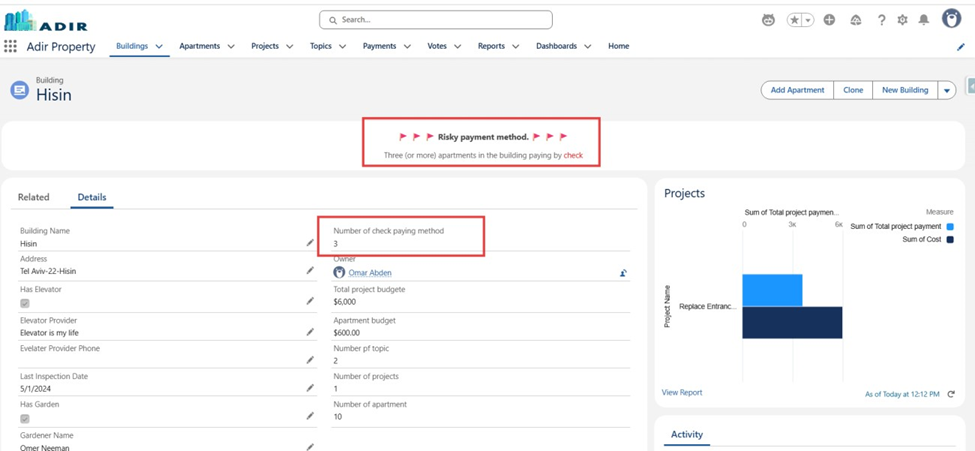
- Show red flag on building page if ≥ 3 apartments in that building pay by check. Building at Risk
Objective:
Add an alert on a Building record whenever three or more apartments in the same building use Check as a payment method. This ensures the management can identify risky payment patterns.
Implementation Steps:
-
- Created a Roll-Up Summary / Flow to count apartments with payment method = “Check”.
- Added a formula field Red Flag that displays “⚠ Building at Risk” if the count ≥ 3.
- Placed the field on the Building record page.
Result:
When three or more apartments in a building pay by check, a red warning flag appears on the Building record.
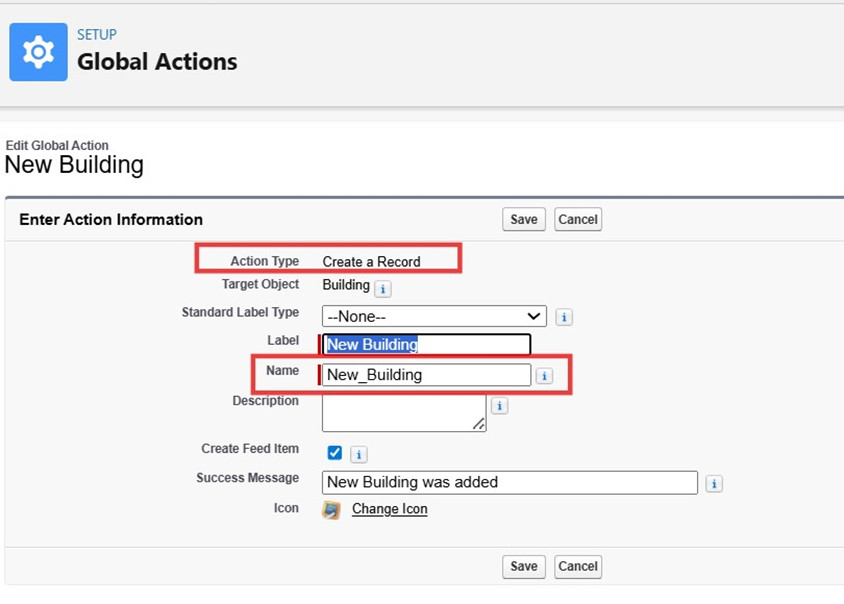
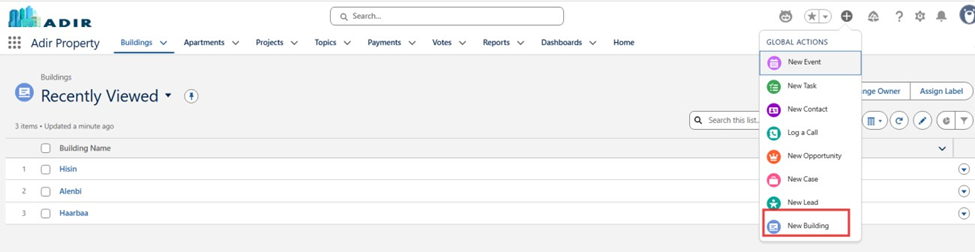
New Building Global Action
Objective:
Allow users to quickly create new Building records from any screen using a global action with guided input screens.
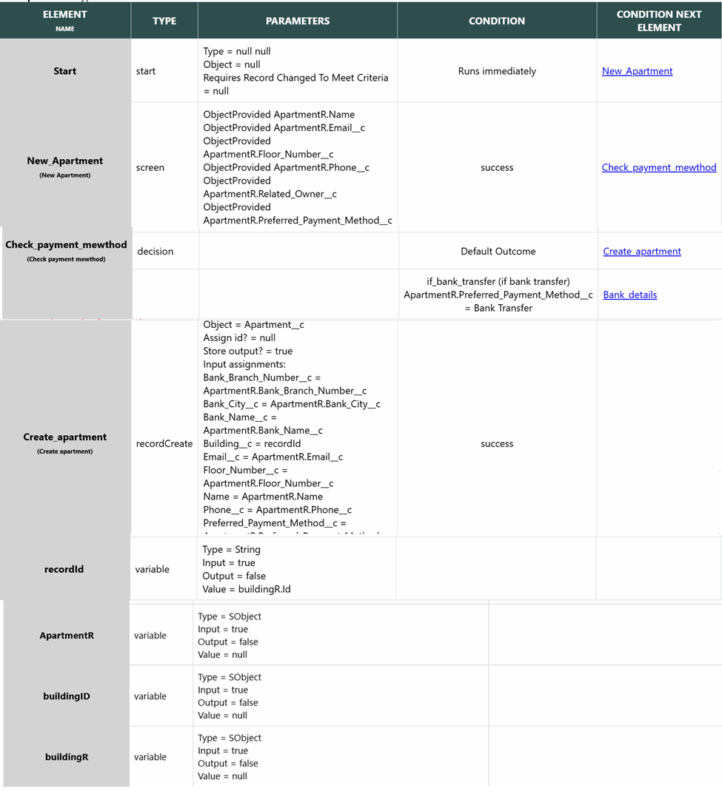
New Apartment Flow
Objective:
Guide building managers through the process of creating a new Apartment under a Building.
Implementation Steps:
-
- Created a Screen Flow – New Apartment Wizard.
-
- Added multiple screens to capture apartment details such as:
- Apartment number, size, owner details.
- Payment method.
-
- Related Building (lookup).
- Added multiple screens to capture apartment details such as:
-
- Created a Screen Flow – New Apartment Wizard.
Flow automatically assigns the new apartment to the correct Building
Result:
Managers can create apartments step-by-step with no missing data.
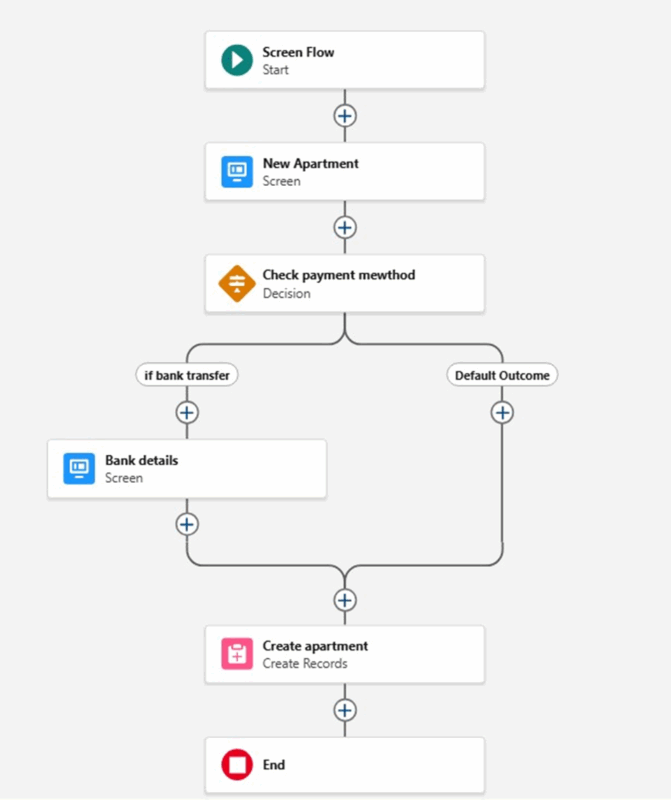
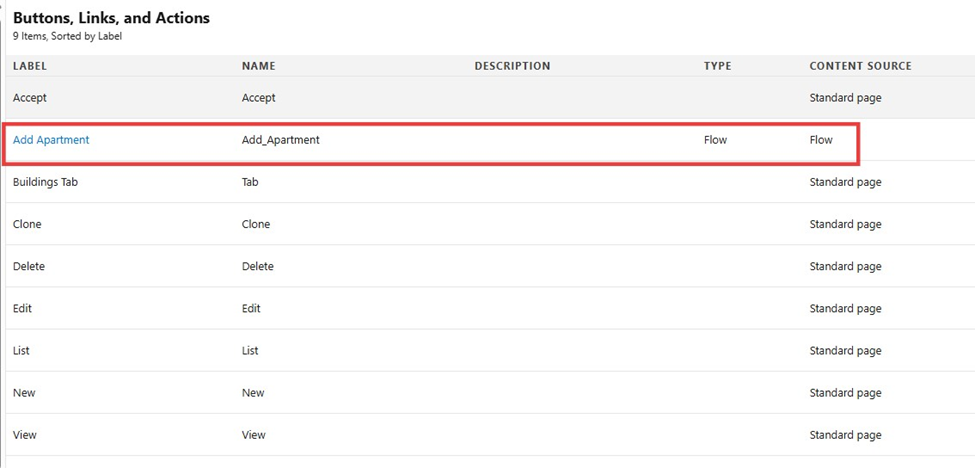
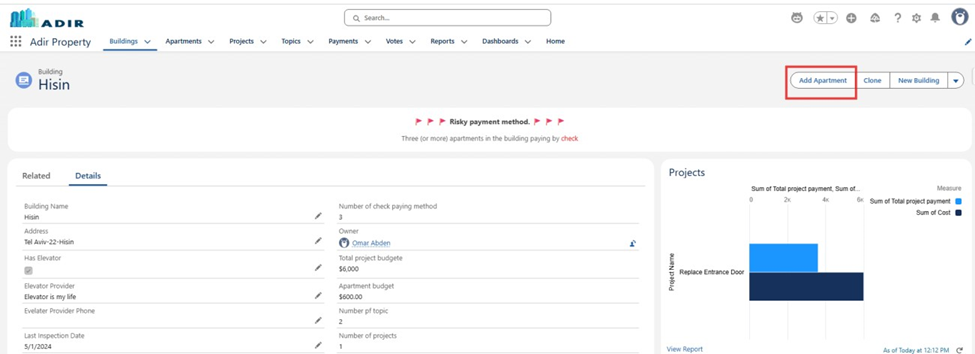
New Action bottom created and added to the building record page
Live demo of Creating new apartment Flow in the Link : https://www.youtube.com/watch?v=V10XWh3pdh8
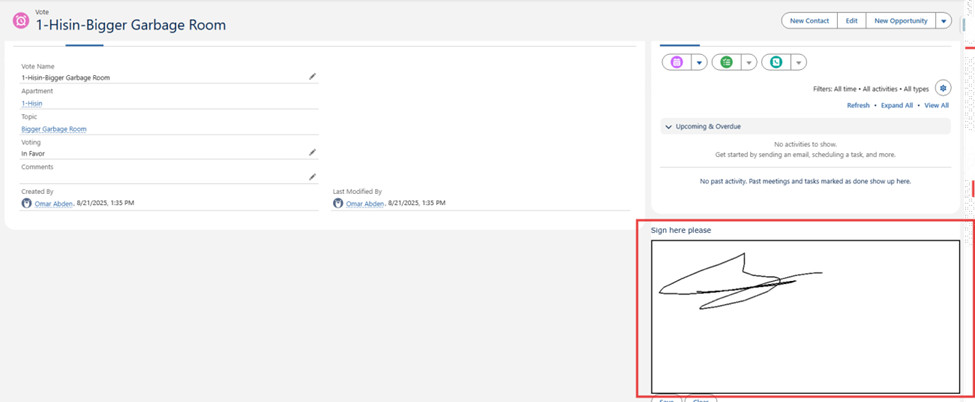
Vote Signature (BrightSIGN)
Objective:
Enable tenants to digitally sign vote forms through Salesforce.
Implementation Steps:
Installed BrightSIGN app from AppExchange.
Added the BrightSIGN signature component to the Vote page layout.
Tested tenant signature submission within a Vote record.
Result:
Tenants can now sign directly on the Vote page. Signatures are stored in the system.
. Payment Deletion Notification
Objective:
Ensure Adir is notified whenever a Payment record is deleted.
Implementation Steps:
Payment has been deleted by {User Full Name}
Result:
Whenever a Payment record is deleted, Adir automatically receives an email with full cancellation details.
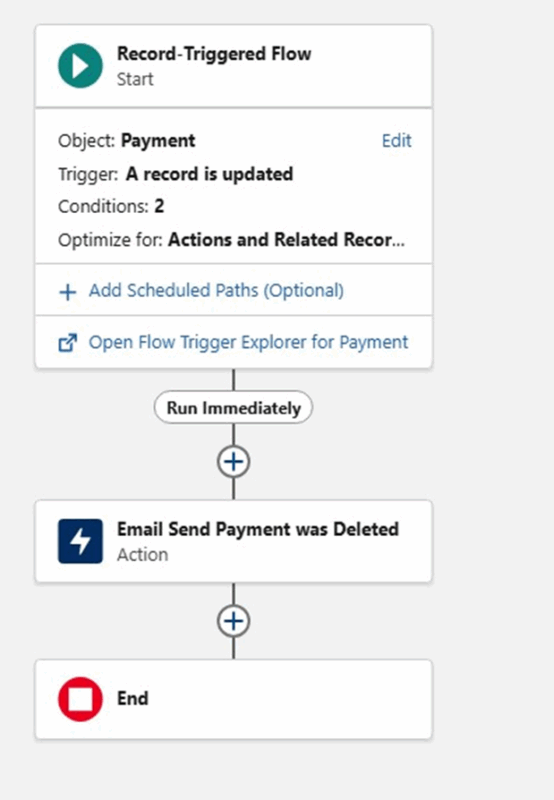
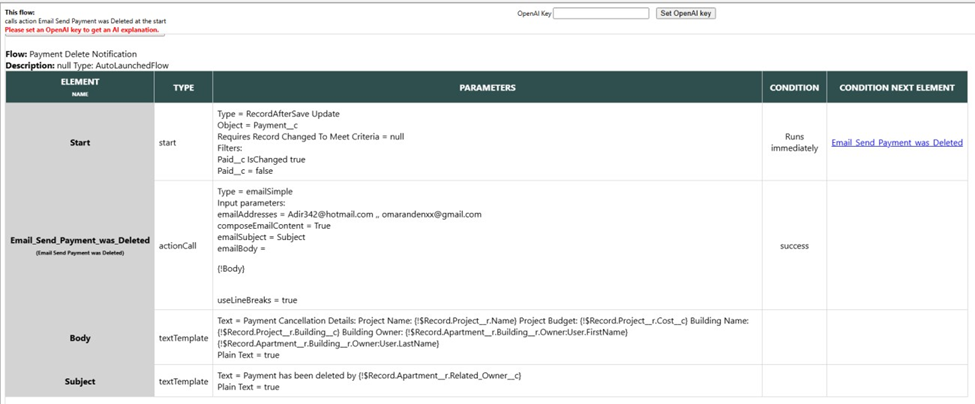
Live Demo of Flow Payment Deletion Notification this link
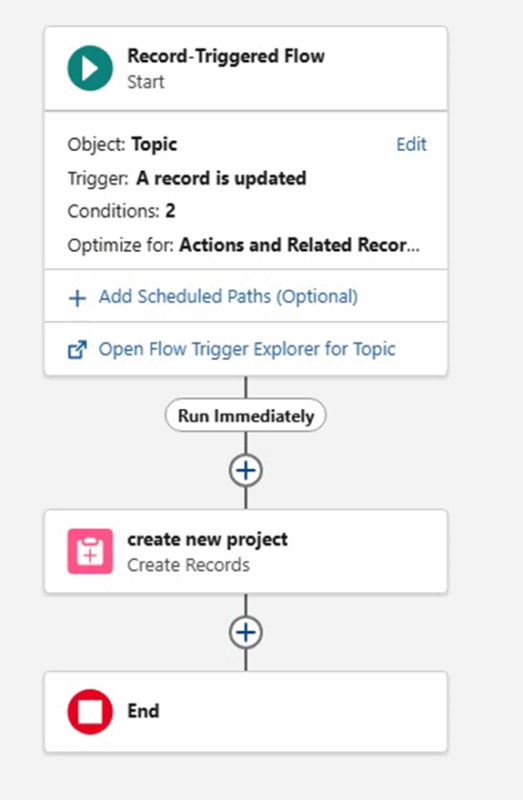
Topic → Project Automation
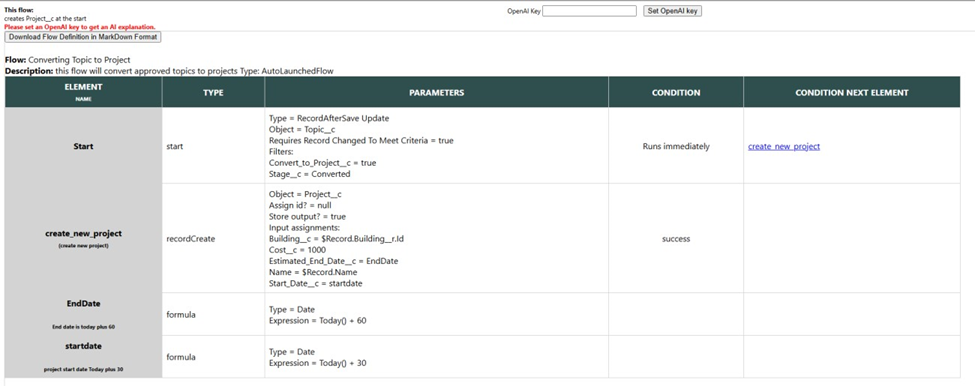
Creating Topic converting process and path supported by time validation and flow
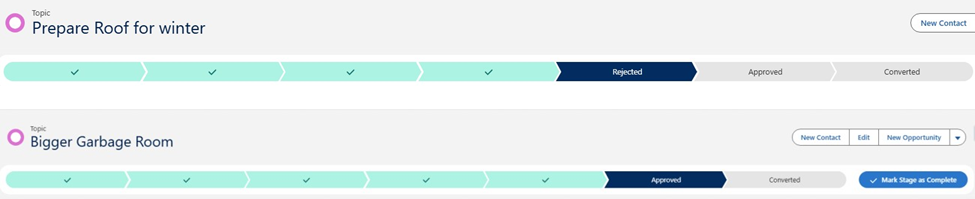
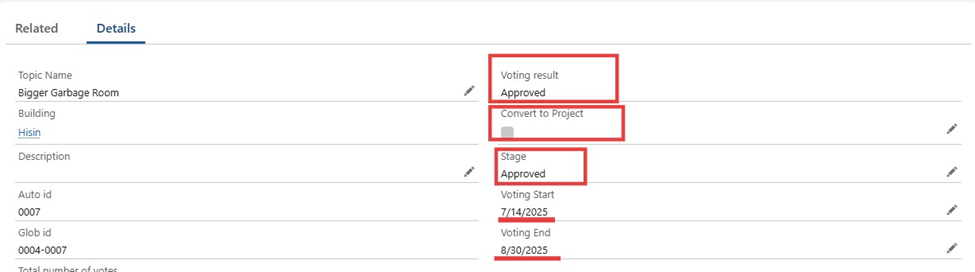
Objective:
Automate project creation from a Topic once a vote has ended and passed by majority.
Implementation Steps:
-
- Added checkbox field Convert to Project on Topic.
- Validation rules:
- Checkbox disabled until voting end date has passed.
-
- Checkbox disabled unless vote passed by majority.
- Built a Record-Triggered Flow that runs when checkbox is checked:
-
- Creates a Project record with:
- Project Name = Topic Name.
- Start Date = 30 days from today.
- End Date = 60 days from today.
-
- Project Cost = 1,000 NIS.
- Creates a Project record with:
-
Result:
When conditions are met and checkbox is selected, a new Project is created automatically and relationships are tracked. Validation live Demo at Link :
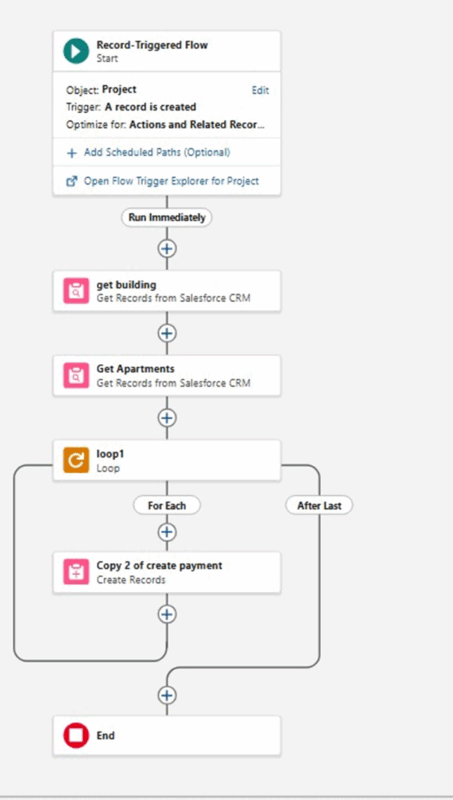
Auto payments creation upon creating new project :
Live Demo of Converting Topic To Project Link : https://www.youtube.com/watch?v=o9Jzx1MY4zw
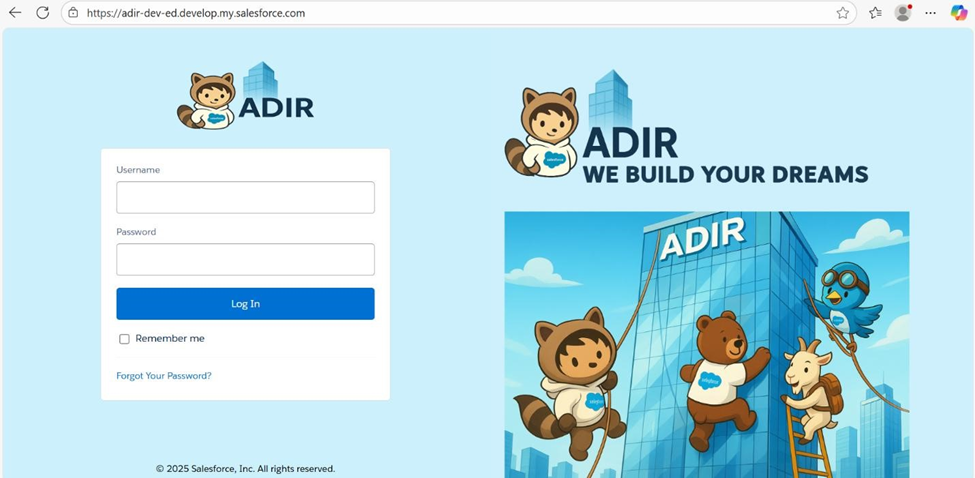
Login Page Branding
Objective:
Design a branded login page for the system.
Implementation Steps:
-
- Enabled My Domain in Salesforce.
- Customized the login page with company logo, colors, and background.
Captured a screenshot of the final branded login page
Enabling Default Agentforce
Objective:
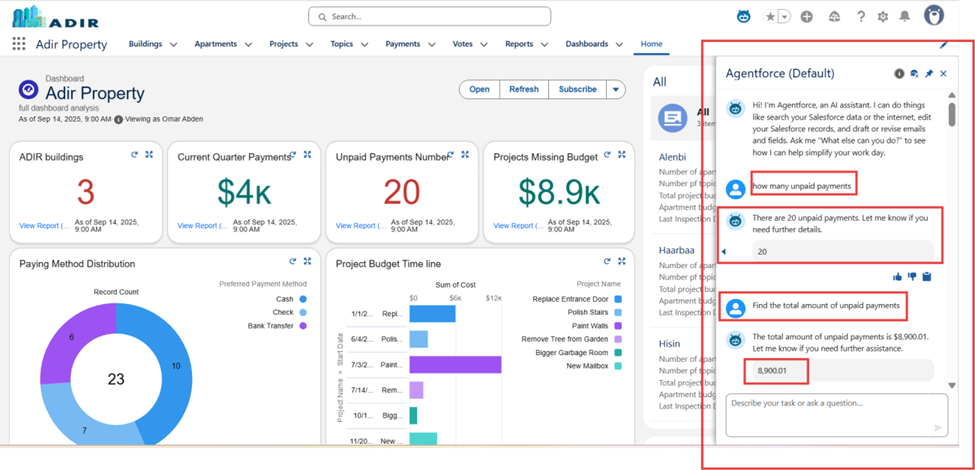
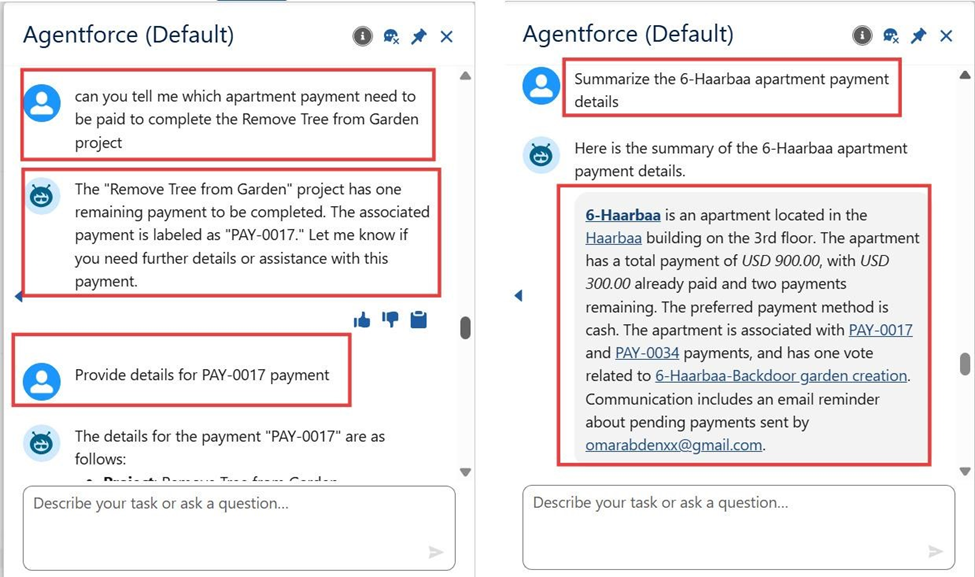
Enable Salesforce Agentforce so that users can interact with the system through conversational AI, asking questions and receiving guided answers about the property management data.
Implementation Steps:
-
- Navigated to Setup → Agentforce in Salesforce.
- Enabled the default Agentforce toggle to activate the feature.
- Configured Agentforce permissions to allow users access.
- Linked Agentforce to property management objects (Building, Apartment, Project, Payments, Votes).
- Tested Agentforce by asking questions such as:
Conclusion (Executive Summary)
-
- Implemented a comprehensive Salesforce solution for managing buildings, apartments, projects, and voting topics.
- Applied validation rules, roll-up summaries, and formula fields to ensure accurate payment calculations and enforce strong data integrity.
- Built automation flows to:
Auto-create payment placeholders when a new project is launched.
Distribute payments dynamically across all relevant apartments
-
- Integrated flows, validations, and rollups into a cohesive system that adapts seamlessly to different real-world scenarios and supports daily operations.
Enabled Agentforce to provide AI-powered assistance, making the system more intuitive, user-friendly, and future-read